Intro
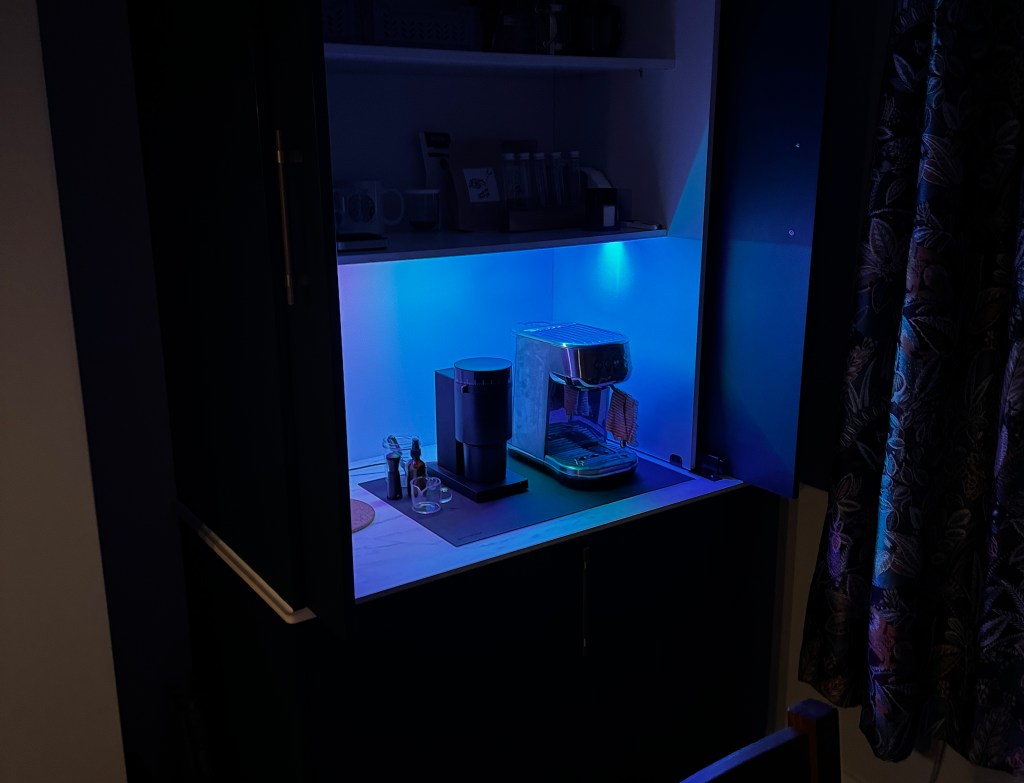
I created a button that, when pressed, changes my LED lighting to represent when my next bus is arriving.
What did I actually do?
For this first post, I really wanted to showcase how you can use AI to solve actual, real-world problems for yourself. I have a specific bus stop I use for my commute, and I wanted a simple tracker to tell me when the next bus was coming without me having to constantly unlock my phone and check an app.
Why on earth did I do this?
The problem started where all good ideas come from, frustration. I can’t tell you how many times I’ve arrived at the bus stop just in time to see the back of the bus driving away. It’s the worst.
I started by building a simple website that just displayed the number of minutes until the next bus. You might not believe this, but I actually built that part myself using simple HTML, CSS, and Javascript. I had it on my home screen and could just access it before leaving the house, quick and easy.
That was a great start, but I wanted to take it a step further. I wanted something tangible. My inspiration actually came from those movies where you see the red and green lights in military planes. Green light means GO GO GO. I thought, “I bet I could do that, it can’t be that hard…”
I already had an LED strip set up in my coffee zone running WLED, so I had the perfect canvas ready to go. So all I wanted was purple light for you should go, orange meaning if you go now you will wait a couple of mins, and red for relax finish your coffee then go.
The first issue I do not know shit about C++
Not a clue. Absolutely nothing, which is important if you want to code up an Arduino or small development board.
I had the logic for getting the bus times from my website, but I had zero knowledge about how to code in C++ for an ESP8266 or Arduino. So, I did what anyone in 2025 would do: I used AI to write the code for me.
This brings me to my tip of the day: if you want to get into this stuff, get good at writing specification documents.
Don’t let the AI do all your thinking that’s what you are good at. You want to be the one to spark the idea, plan the flow, and define the outcome. Writing a detailed specification document is your way of giving the AI a clear, unambiguous instruction manual. I recommend doing this for anything complicated (plus work stuff).
I personally tend to write way more words than necessary (and repeat myself a lot), so I even use AI to help me clean up my specs before I hand them over to be turned into code or anything else.
The Steps Looking Back
- The Spec: I started by writing a detailed specification for what I wanted to build – listing the hardware, the software, and exactly how the logic should flow.
- The Code: I passed that spec to the AI and let it generate the C++ code.
- The Build: I installed the code on an ESP8266 board I’d wired up with a button.
- The Overkill: Finally, I went a bit OTT and 3D printed a custom case to turn the whole thing into a massive, satisfying button.
I know, I know – it’s a bit over the top. But honestly? It was a tonne of fun. It’s been a great way to not just use AI, but to actually learn a new hobby and build something physical. Now I make my coffee in the morning and press a button to check the times so I know if I have to hustle.
Here it is in action
Want to build one?
If you want to give this a go, here is what you’ll need:
- LED Strip: Set up with WLED. (Tip: use the newer ESP32 boards if you’re starting fresh).
- ESP8266 Board: These are super cheap (I got 5 for £20), this will be running your code.
- A Button: Ideally a big one, plus some wire. Or if you’re starting from scratch, something like the ELEGOO UNO R3 Project Super Starter Kit has a tonne of stuff.
Code
I’ve stuck all the code up on GitHub linked below. I’ve left some blank spots in the meaningful places (like WiFi credentials and random bus stop so you can just copy-paste and tweak it for your own setup.
If you live in London, this should work pretty much straight out of the box with those few adjustments. I’ve also included a README to make life a little easier, plus the full specification document I wrote, so you can see exactly how I explained it to the AI.
This is not perfect and I am sure an experienced developer could poke holes in this and I will try and refine over time. But right now for something that took maybe an hour of work including back and forth to fix bugs, its not bad.
Conclusion
So there you have it. A slightly ridiculous, over-engineered button that saves me about 3 seconds of effort. But honestly? It was worth every second of the build.
AI is making it possible for us to build the weird, specific little tools we’ve always wanted but never had the skills to make. So go build something stupidly useful for yourself. My next post is going to be a good one that requires no code so will post that one next week.
Have fun out there!
 Fizzy Logic: My Messy AI Journey
Leave a comment