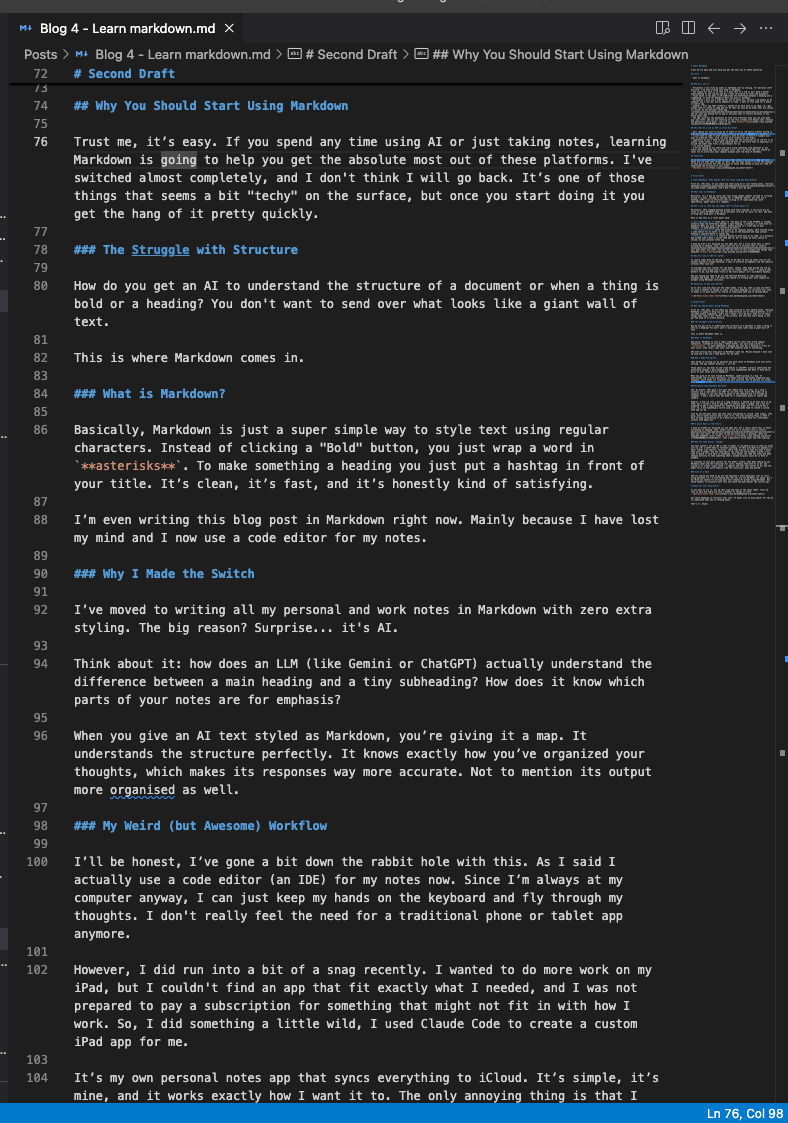
Trust me, it’s easy. If you spend any time using AI or just taking notes, learning Markdown is going to help you get the absolute most out of these platforms. I’ve switched almost completely, and I don’t think I will go back. It’s one of those things that seems a bit “techy” on the surface, but once you start doing it you get the hang of it pretty quickly.
The Struggle with Structure
How do you get an AI to understand the structure of a document or when a thing is bold or a heading? You don’t want to send over what looks like a giant wall of text.
This is where Markdown comes in.
What is Markdown?
Basically, Markdown is just a super simple way to style text using regular characters. Instead of clicking a “Bold” button, you just wrap a word in **asterisks**. To make something a heading you just put a hashtag in front of your title. It’s clean, it’s fast, and it’s honestly kind of satisfying.
I’m even writing this blog post in Markdown right now. Mainly because I have lost my mind and I now use a code editor for my notes.
Why I Made the Switch
I’ve moved to writing all my personal and work notes in Markdown with zero extra styling. The big reason? Surprise… it’s AI.
Think about it: how does an LLM (like Gemini or ChatGPT) actually understand the difference between a main heading and a tiny subheading? How does it know which parts of your notes are for emphasis?
When you give an AI text styled as Markdown, you’re giving it a map. It understands the structure perfectly. It knows exactly how you’ve organized your thoughts, which makes its responses way more accurate. Not to mention its output more organised as well.
My Weird (but Awesome) Workflow
I’ll be honest, I’ve gone a bit down the rabbit hole with this. As I said I actually use a code editor (an IDE) for my notes now. Since I’m always at my computer anyway, I can just keep my hands on the keyboard and fly through my thoughts. I don’t really feel the need for a traditional phone or tablet app anymore.
However, I did run into a bit of a snag recently. I wanted to do more work on my iPad, but I couldn’t find an app that fit exactly what I needed, and I was not prepared to pay a subscription for something that might not fit in with how I work. So, I did something a little wild, I used Claude Code to create a custom iPad app for me.
It’s my own personal notes app that syncs everything to iCloud. It’s simple, it’s mine, and it works exactly how I want it to. The only annoying thing is that I have to keep reinstalling it as I have not put the money down for a developer account with Apple yet.
A quick Note on the Future
I know we aren’t all building our own apps yet, but I really think this is where everything is heading. Soon, you’ll just ask for a solution that is totally personal to you. The App Store is going to look very different when you can just make your own stuff. If you want to see how crazy this is getting, check out Google’s DeepMind recent video on Project Genie. It’s a generative world maker and it’s amazing.
Why the Code Editor, Though?
The main reason I use an IDE is that it makes it incredibly easy to share my notes with an LLM. I don’t have to reformat anything. If I’ve used bold for emphasis or split things into specific sections, those stay exactly as they are when I paste them into a prompt. And the code editor can show you the markdown styled if you need to paste it into Word or something. Plus Gemini can read the notes and make changes directly to them something that I wished Co-pilot could do in Word or OneNote.
It provides so much more context for the model. Lately, I’ve been taking my own Markdown notes and the transcript for calls, feeding them both to an AI, and asking it to create “super notes.” I capture the bits that matter to me, and the model fills in the extra details from the transcript. Done and dusted.
Give It a Shot
I’m not saying you need to go out and download a fancy developer tool or start using Obsidian (it’s a note-taking app that you can use Markdown in) today. But I do think you should try writing your next complex AI prompt using Markdown. Use those headers to structure your info and watch how much better the results get.
Check out the resources:
If you want to try it, hit up this link and look at the cheat sheet. Trust me, it’s so easy and there are only a handful of things to learn.
Use those headings to structure your info. It makes life so much easier for the AI to understand what you’re talking about.
That’s it. Enjoy!
 Fizzy Logic: My Messy AI Journey
Leave a comment